I’d become a bit too inactive for my own liking, so I decided to get more active and get myself another new toy in the hope it would help me improve my fitness and get back into shape.
I’m not much of a runner. I walk sometimes, and when I bought the watch I’d just started going to the gym a few times a week and taking part in the occasional fitness class, such as yoga. So, although the name Forerunner rather gives away Garmin’s intended audience, what I wanted was a good overall fitness watch, not something that assumes I’m training for a marathon.
I do have to confess that one of the big reasons I wanted a new Garmin in the first place was… so I could have a Kingdom Come: Deliverance inspired watch face. I found the idea of having a medieval-style sundial on one’s wrist quite appealing.
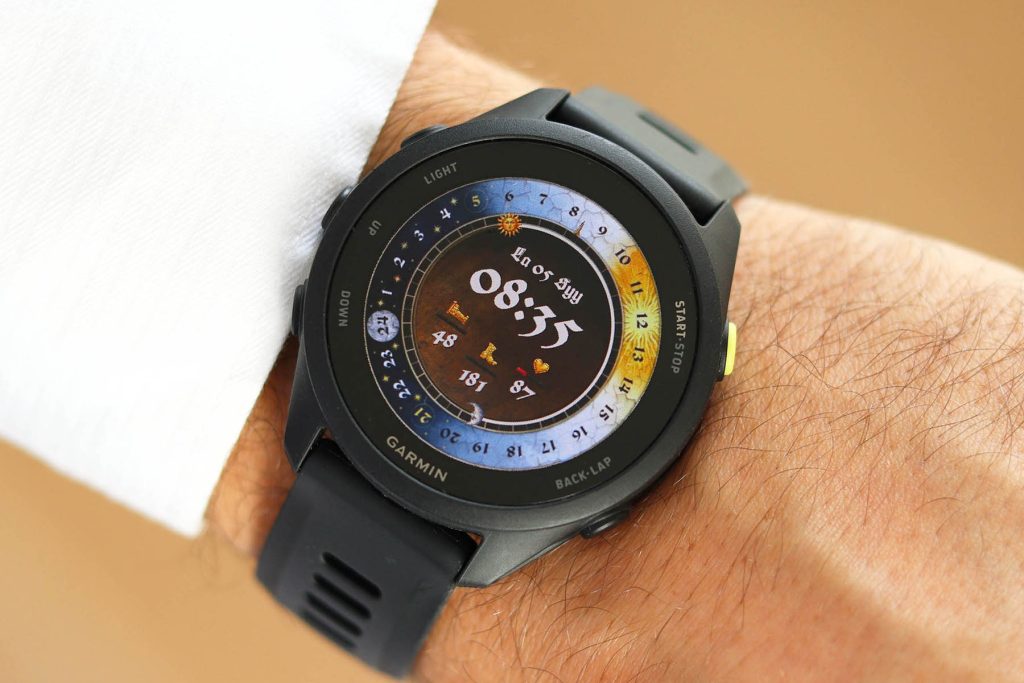
Before settling on the Forerunner 70, I spent quite a bit of time looking through Garmin’s latest range, trying to find the least expensive model that would do everything I actually needed. I wasn’t after the most impressive specification sheet or all the bells and whistles I might try once and then forget about. I just wanted the right watch. I paid £186 for mine (roughly US$245 or €220, depending on exchange rates or on whatever current political event is happening in the world), and that price is an important part of why I’m so happy with it, especially considering that some smartwatches cost five times as much, if not more.
It replaces my old Garmin Forerunner 35, which still works fine, to be fair! But that was a much more basic device, without a colour screen, and with a pixel count you could count on the fingers of your own two hands. There was nothing wrong with the Forerunner 35 for running, but it really wasn’t much good for the other exercising I wanted to do because it lacked so many features. For example, the only remotely relevant profile for something like strength training was ‘Cardio’, meaning practically any kind of exercise had to be recorded under that same generic heading. That wasn’t overly helpful, and probably wasn’t even that accurate, since the watch didn’t really know what I was doing. The difference in what the newer watch can tell me about exercise, sleep and recovery is substantial.
So, even though the Forerunner 70 is a relatively low-end model in Garmin’s range, it has genuinely surprised me with how much useful functionality it includes and just how big an improvement it is over my previous Forerunner.
A Proper Watch, Not a Ridiculous Gadget
I should probably explain something about my taste in watches, because it’s part of why this particular model appeals to me. I’m the sort of person who likes a classic Casio or Seiko, or something equally subtle and toned down. I don’t necessarily want a huge gadget strapped to my wrist, and some smartwatches, particularly those with enormous faces and chunky, multicoloured straps, really do look a bit ridiculous to me. If you personally aspire to look like Inspector Gadget, however, by all means.
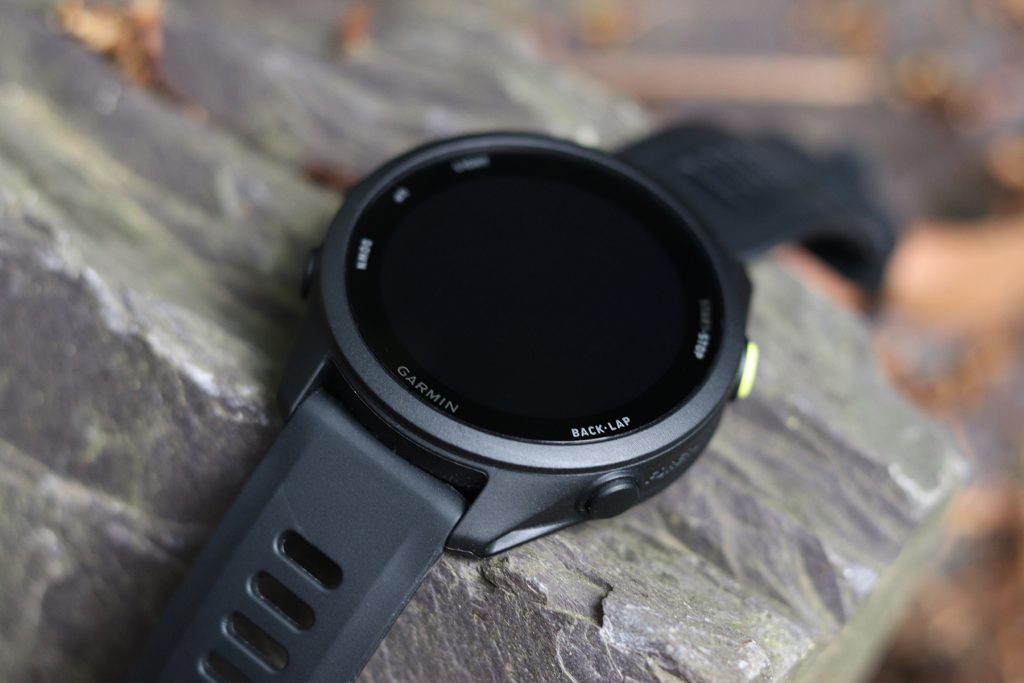
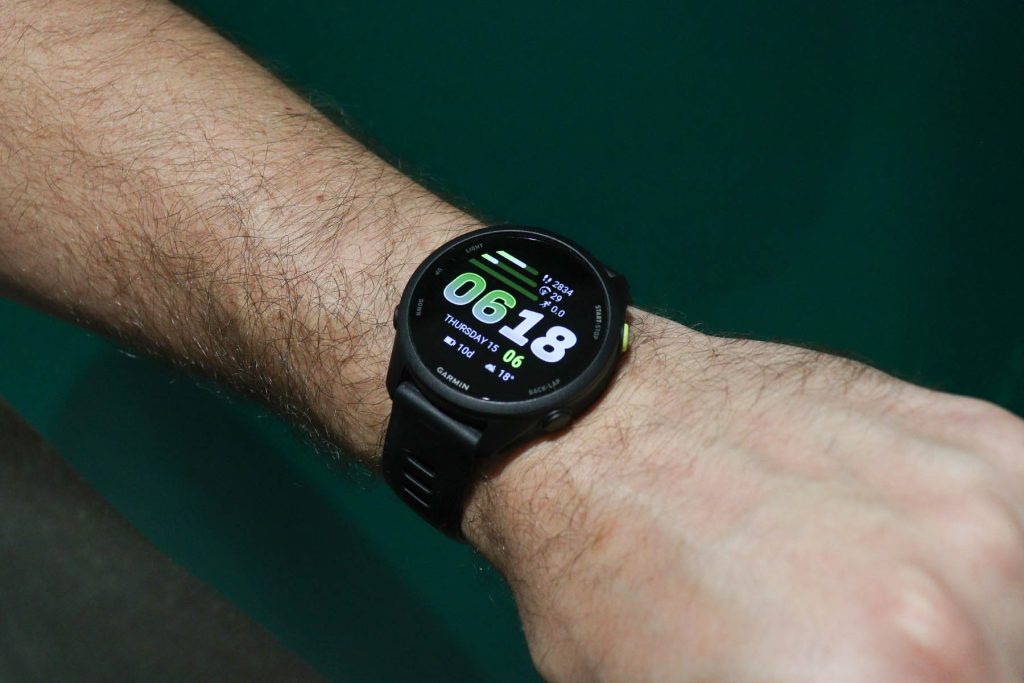
The Forerunner 70 avoids that. It’s quite modest and, to my eyes, stylish enough in its own right. This is why I chose the black version. It has to be mentioned that there is a bright yellow Start/Stop button on the side, which I imagine could annoy somebody who’s very particular about matching colours, but it doesn’t bother me. It looks like a proper watch, and that’s part of the appeal: despite all the things it does, at the end of the day it is still a watch.
Fortunately, it feels like a proper watch as well. I’m not naturally somebody who enjoys wearing one continuously, yet this is light enough, about 40 grams according to Garmin, and the supplied silicone strap is comfortable enough that I wear it practically around the clock. I generally take it off for showers, but otherwise I barely notice it, even overnight. That means I can get the sleep and recovery information without feeling as though I’ve got an uncomfortable lump strapped to my wrist while I’m trying to sleep.
And if you do want to match the watch to what you’re wearing, changing the watch face is very easy, too. With the screen switched off, the watch looks even more subtle and classy. It does support an Always On Display for those who fancy it, but personally I’ve found the movement- or tap-activated screen more than easy enough to use.

Screen Quality and the Screen Protector Problem
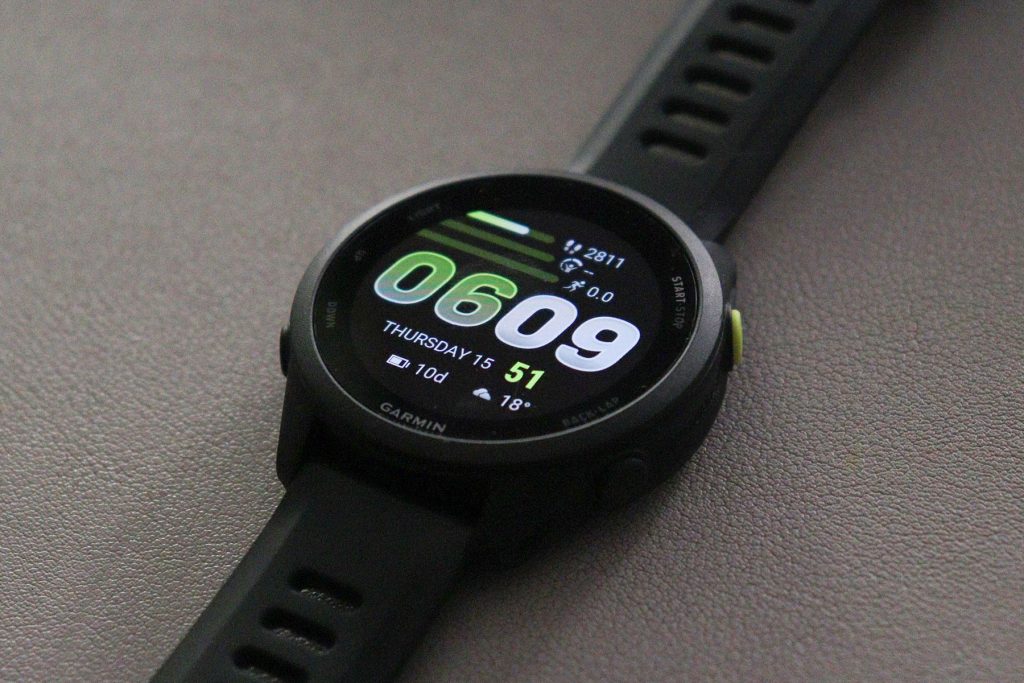
One of the most obvious upgrades from my old Forerunner 35 is the screen. The Forerunner 70 has a colourful 1.2-inch AMOLED display with a resolution of 390 by 390 pixels, and it looks excellent. The colours are vibrant, everything is clear, and I’ve had no trouble reading it outside. Sunlight can reflect off the surface to some extent, but not enough to stop me seeing what’s on the display.
Of course, you can always find a watch with a more elaborate display or a higher pixel count, but do I actually need that on a fitness watch? I really don’t think so. This is already more than good enough to show me the time and all the information I want. I see no point in chasing an impressive PPI specification just for the sake of it, with no practical benefit, while butchering any chance of decent battery life (looking at you, Apple!). I trust Garmin to have chosen an appropriate resolution while weighing up the benefits against the drawbacks of simply adding more and more of everything.
The screen uses chemically strengthened glass and, in my experience, it feels good quality and is very scratch-resistant. Some of Garmin’s fancier models use sapphire glass instead, but I personally don’t think I could tell the difference. Other than in the price tag, that is.
That doesn’t stop me recommending a screen protector, though. As with any smart device like a phone or a tablet, it’s better to be safe than sorry. A screen protector you can always replace if it gets scratched. The screen? Less so.
I originally tried a couple of rigid glass protectors, and neither sat properly on the screen. They ended up with bubbles and started lifting off the glass. I don’t know for certain whether that’s because of the display’s shape or the contour around the edges, but what I do know is that the rigid ones I tried simply didn’t fit properly. The soft TPU film protectors, on the other hand, work very well. They fit properly, and the screen still looks just as vibrant and clear underneath. So if you’re in the market for a new Garmin watch, whether this one or another model, I’d make a point of choosing a good-quality soft TPU screen protector (I’m sure there are choices that make the screen awfully matte and cloudy, so choose carefully).
Buttons, Touchscreen and Finding Your Way Around
The way you control the watch is another thing Garmin has got right, in my opinion. It has five physical buttons alongside the touchscreen, with straightforward functions such as Start, Stop, Back, Menu, Up and Down, depending on where you are in the interface. It doesn’t get much clearer than that, and I’m pleased I don’t have to rely entirely on swiping a touchscreen or making gestures at my wrist.
That said, straightforward buttons don’t mean I understood every sequence immediately. Starting an activity, stopping it and then actually ending and saving it took a little getting used to. There are several steps and button presses involved, and at first I had to think about which one came next. After doing it a few times, though, and getting the hang of the correct sequence of presses, the process became intuitive rather than a problem.
Activities: Running Is Only One of Them
It’s called a Forerunner, obviously, so I suppose the running focus shouldn’t come as a surprise. But I don’t think anybody should dismiss it just because they aren’t primarily a runner. Garmin advertises more than 80 built-in sports apps for this watch, which is a frankly ridiculous number of activities for something strapped to your wrist. To me, the Forerunner name is as much a way of marketing the watch to runners as a description of what it’s actually useful for. In practice, it’s a well-rounded fitness watch for all sorts of activities. I suppose Garmin needs to target particular groups of athletes with each family, though.
To give you an idea of just how many activities we’re talking about, here’s the list of profiles named in Garmin’s manual, grouped by category. Feel free to look through them if you’re curious, or just glance over the list and carry on reading. I think you’ll get the point either way!
- Running: Running, treadmill running, indoor track running, outdoor track running, trail running, ultra running, obstacle racing and virtual running.
- Cycling: Cycling, road cycling, mountain biking, gravel biking, bike commuting, bike touring, indoor cycling, electric biking, electric mountain biking and cyclocross.
- Swimming: Pool swimming.
- Gym and fitness: Strength training, cardio, elliptical/cross trainer, HIIT, stair stepper, jump rope/skipping, indoor rowing, boxing, mixed martial arts, mobility, Pilates, indoor walking, indoor cross-country skiing and yoga.
- Outdoor activities: Walking, hiking, rucking (walking with weight), mountaineering, horse riding, disc golf, archery and inline skating.
- Winter sports: Skiing, snowboarding, cross-country classic skiing, cross-country skate skiing, ice skating, snowshoeing and snowmobiling.
- Water sports: Outdoor rowing, kayaking, stand-up paddleboarding and snorkelling.
- Team sports: Football, American football, basketball, baseball, softball, cricket, rugby, lacrosse, volleyball, field hockey, ice hockey and ultimate disc.
- Racket sports: Tennis, table tennis, badminton, squash, pickleball, padel, platform tennis and racquetball.
- Motorsports: Motorcycling, motocross, ATV/quad biking and overlanding.
- Other: Breathwork.
Quite a selection, isn’t it? And I certainly don’t feel I need to use all of them. For my own use, the obvious activities are walking, running, rowing, the elliptical or cross trainer, and yoga. That’s part of the appeal: there’s enough here to cater for lots of different people without making any of us use every feature.
Some activities also let you divide a session into laps, reps, intervals or separate parts. Take yoga, for example: you could record or time individual poses, but I just leave the whole class as one activity from start to finish. I’m there to do yoga, not to spend the lesson messing around with my watch and deciding which pose I’m doing. It’s nice that the extra detail is available for someone who wants it; I just don’t need it.
One activity that really was a pleasant surprise is the dedicated motorcycling mode. I didn’t even know the watch had a motorcycle riding profile when I bought it, yet it can log a ride and show the route, average speed and various other figures, much like it would for a run or bicycle ride. It even estimates calories burned. How seriously you’d want to take a calorie estimate from riding a motorcycle is another question, but I find the whole thing unexpectedly fun.
It’s a little extra I wasn’t expecting from a running watch, and yet another reason to go for a ride! “Burned more calories during a 1 hour ride than in 20 minutes of sweating at the gym? Hah! Suck it, gym!” And as you can see in the video below, starting an activity from your predefined quick-launch menu is very quick and easy.
And if, somehow, none of those activities is quite what you’re looking for, Garmin even lets you create your own. You can start with an existing activity or create a new one, give it a custom name and configure things like the data screens and other supported settings. So, in theory, you could create an activity called “Doing the dishes because my partner is lazy”, or a shorter version if Garmin won’t accommodate the whole complaint. Start the activity when you begin washing up, stop it when you’re finished, and you’ll have a record of how long you spent doing it, along with whatever other information the activity is configured to track. Over time, you could even go through your activity history and work out exactly how many hours of your life you’ve spent doing the dishes because your partner is lazy. Whether presenting that evidence to your partner would be a particularly wise decision is another matter entirely.
GPS: More Than Sufficient for Me
The watch has built-in GPS with support for multiple satellite systems, although it isn’t one of Garmin’s more expensive multi-band GPS models. Those more advanced positioning systems can be useful, particularly when reception is difficult. The Forerunner 70 also lacks the separate electronic compass found on certain higher-end watches, but it can still offer route and course guidance. Its direction of travel is calculated from changes in position, rather than from the watch independently knowing which way you’re looking.
For me, though, the important distinction is between a specification difference and an actual problem. I’ve never had a meaningful problem with the GPS on mine. Sometimes it seems to need a tiny amount of movement when getting out of the door, roughly the first five or ten metres, before confirming that the GPS location is ready. That’s simply my impression from using it, not a precise measurement of satellite acquisition.
Beyond that, it’s just worked. I don’t recall the GPS unexpectedly cutting out, and I haven’t experienced anything that makes me wish I’d bought a fancier version. For walks, occasional runs, motorcycling and the outdoor activities I actually do, it is more than sufficient. I can see why someone with different outdoor or navigation requirements might value a higher-end model, but I just don’t need it.
Heart-Rate Tracking: A Surprisingly Close Comparison
I’ve also checked the heart-rate readings repeatedly against the hand-grip sensors on the cardio equipment at my gym, as well as my OMRON blood pressure monitor. I’ve probably made those comparisons a few dozen times, particularly on machines such as the cross trainer, and the readings are remarkably close. Sometimes they’re identical; more often than not, they’re only about one beat per minute apart either way.
That’s the sort of performance that matters to me. I don’t feel the need to chase more and more sensing technology simply because a manufacturer can squeeze it into a watch. What matters is whether the information is useful. If I’m getting reliable-looking figures for the activities I actually do, I’m not particularly interested in a competition over which watch takes the most measurements per second or has the most elaborate hardware, only to run out of battery within 24 hours because of all those excessive features. Looking at you once again, Apple.
Body Battery, Sleep and the Value of Rest
When I bought the watch, I was a little doubtful about how useful all the additional health and recovery statistics would be. There are so many figures that it’s easy to imagine them becoming nothing more than an elaborate collection of numbers. Yet I’ve ended up using almost all of them, and some have been surprisingly good at reflecting how I’ve actually been feeling.
Body Battery is probably my favourite example. It estimates your energy level using information such as activity, stress and rest, and I’ve found it reflects the difference between a tiring day and a genuinely restful one rather well. If I sleep badly, perhaps after an evening with a few drinks, it doesn’t recharge particularly well overnight. After a long, restful night’s sleep, on the other hand, it tends to recover much more.
What really caught my attention, though, was something much smaller. I had a lovely, relaxing phone conversation with my sister one day, and afterwards, without me starting an activity or telling the watch what I’d been doing, it notified me that I’d had a restful period and my Body Battery had increased by two points.
Obviously, the watch had no idea that I was speaking to my sister or what we were discussing. But I found it remarkable that it seemed to pick up on how relaxing the conversation had been. It’s exactly that kind of everyday observation that makes the data feel useful and trustworthy, rather than just decorative.
The same principle applies to stress alerts. The watch can tell you when your stress levels appear high or you’ve had a period of recovery, although I haven’t completely decided how many of those alerts I want enabled because I don’t like being interrupted all the time. Still, if the figures reasonably reflect what’s happening, there’s a genuinely sensible point behind the advice. If the watch is telling you that you need a f*cking rest, maybe you should have a rest.
It also learns your ‘usual measurements’ and can warn you if some of your normal statistics fall outside that range. That could be a good way to realise you’ve really overdone something, or that something might be physically wrong and perhaps you should see a doctor sooner rather than later.
Of course, I wouldn’t treat every Body Battery number as literally precise or assume these are medical measurements. For me, the value is that the figures often reflect real experiences, including things I might not have consciously noticed at the time.
Training Readiness and the Morning Report
Training Readiness is another feature I was sceptical about initially but have found surprisingly useful. By looking at training and recovery information, it gives you an idea of whether you’re ready to do more, whether a lighter session would make sense or whether you might be better off resting.
I much prefer that to a watch that just keeps demanding you move, move, move, move. Surely a sensible training partner shouldn’t be trying to force you into another workout when you might be better off recovering? Sometimes the right thing to do is rest.
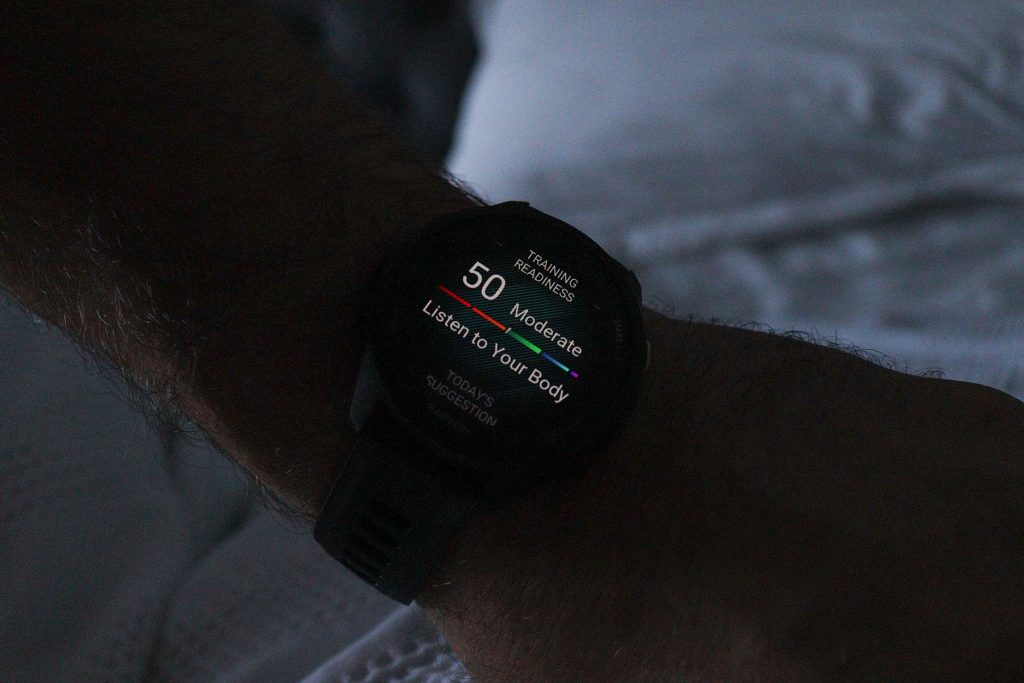
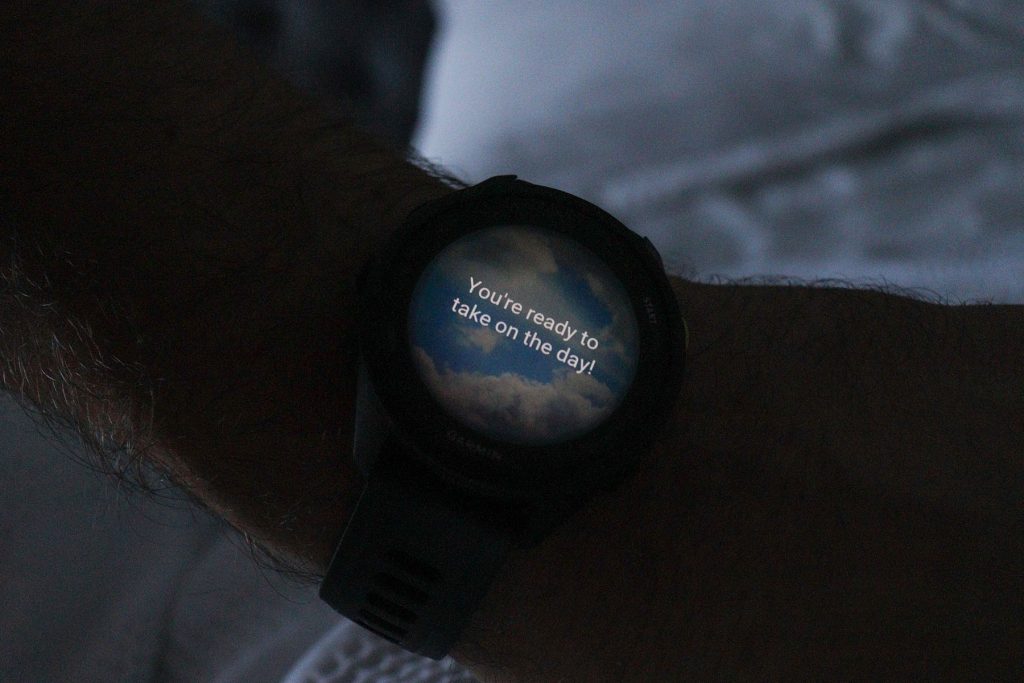
The morning and evening reports are useful for much the same reason. The morning report, for example, can bring together sleep information, recovery, weather or temperature and suggestions about what sort of activity might make sense that day. I don’t have to open several screens and work everything out for myself before I’ve even properly woken up. There’s already a practical summary waiting for me.
It does occasionally get a little silly with motivational messages, though. Sometimes the report finishes with something along the lines of ‘You’ve got this’ or ‘Take it one step at a time.’ You’re a fitness watch, not a motivational speaker. I’m sure some people appreciate those messages, and it’s hardly a reason to mark the watch down, but they do make me roll my eyes a little.
Garmin Connect: All the Data, Without Having to Analyse It
I’ve used Garmin Connect for more than a decade, so buying a new watch didn’t mean starting from scratch. I already had a long history of activities and other information in my account, and setting up the Forerunner 70 was straightforward. I simply added it to that same account, with my previous history still there. I can even continue using an older Garmin if I want. I like that continuity: changing the hardware doesn’t mean leaving years of data behind.
The Connect app itself contains a frankly enormous amount of information. I use it to look back at exercise sessions and trends, and to log or review things such as my weight. If I want to see how a particular statistic has changed over a week or a month, including something like my average heart-rate variability, I can do that too.
The beauty of it, though, is that you don’t necessarily need to interpret all that data yourself. Garmin takes measurements such as sleep, activity, Body Battery and Training Readiness and brings them together into summaries and suggestions. You don’t have to sit down every night comparing and analysing months’ worth of graphs just to decide whether to train harder or take it easy. All the detail is there if you’re interested, but the watch and app already do much of the useful organising for you.
That makes the whole thing accessible even if you’ve never owned a smartwatch before or have absolutely no intention of becoming an expert in exercise statistics. It’s a practical watch, not a research project.
And having all those features doesn’t mean you have to use all of them. Take hydration logging, for example. I’m not going to start logging every time I have a bloody glass of water. No offence to anyone who does, and I can imagine there are people who genuinely find it useful. I’m just not one of them, and the nice thing is that I can ignore it altogether.
Garmin Connect also has challenges, milestones and badges. After I’d completed ten rowing sessions, for example, I received a badge telling me I was a regular rower. A badge of honour, apparently. Maybe I should print it out and hang it on the wall.
Joking aside, I don’t think these badges are useless. If you’ve been doing the same exercise repeatedly and a little congratulation suddenly appears when you hit a milestone, I can see how that would be rewarding. That sort of gamification really can motivate people. Just perhaps don’t get too excited about being awarded a badge for rowing ten times. Take it for what it is.
Notifications: I Turned Most of Them Off
One thing the watch certainly doesn’t lack is notifications. Depending on your settings, you can have messages, emails, order updates, stress alerts and all sorts of other things appearing on your wrist, which can quickly become a torrent of interruptions if you let everything through.
That’s why I’ve turned most of them off. I don’t need my watch announcing every little thing that’s happening on my phone, although I wouldn’t call the functionality bad just because I personally don’t want it. Plenty of people will find it convenient to glance at a message or see who’s calling without taking out their phone.
The important thing is that you get to choose. I’ve simplified the notifications, rearranged what I see and hidden the things I never use, so the watch behaves the way I want it to. Having lots of features doesn’t have to make a device complicated if you can strip away the parts you don’t care about.
Watch Faces, Connect IQ and My Own KCD Watch Face
The same flexibility applies to watch faces, which is one of the areas where I think Garmin really excels. With Connect IQ, you can browse and download different watch faces without any unusual technical knowledge. For a normal user, it’s a matter of choosing one you like and installing it. There’s no reason to sideload anything.
And you’re not limited to downloading somebody else’s design. Garmin also provides tools for changing the appearance, choosing which data appears and using your own images. If you wanted a picture of your favourite pet on the watch, for example, you wouldn’t need a software engineering degree to do it. You can create your own design with Connect IQ’s “Face It” and arrange the information on the face instead of simply accepting whatever Garmin supplied. It takes just a couple of minutes, or even less if you’re in a rush, to have a customised face of your own.

I’ve gone a bit further myself by working on my own KCD watch face, so I’ve also explored the more complicated side of things. You can develop your own watch-face files and sideload them onto the Garmin, including by copying the appropriate files across, rather than being confined to the designs in the official library.
Most people will never want to bother with any of that, and that’s completely fine. The standard designs and Connect IQ library are more than enough for ordinary use. But if you enjoy tinkering, Garmin doesn’t seem determined to stop you. You can keep it simple or overcomplicate it as much as I have with the KCD Watch. Within the limitations of a watch, you really can make it your watch.
Another thoughtful little detail is what happens at bedtime. Once my usual bedtime arrives, the watch automatically switches to a more toned-down, less colourful night-time face and silences notifications, even if I’ve left them enabled during the day. That means I don’t need to remember to change anything before going to sleep, and I won’t be blinded by a ridiculously bright watch face if I check the time in the middle of the night. It’s a small thing, but exactly the sort of practical consideration I appreciate in something I’m wearing almost around the clock.
What the Forerunner 70 Doesn’t Have, and Why I Chose It Anyway
Of course, there are smartwatch features that people might reasonably expect to find by 2026 which the Forerunner 70 doesn’t have. But none of these were unpleasant surprises I discovered after buying it. I knew about them when I made my decision, and the fact that I wouldn’t be paying for things I didn’t want was part of the reason I chose this specific model.
Take storage and music, for example. The watch has 512 MB of memory rather than the large amount you get with some more expensive devices. But it isn’t meant to hold an offline music library, so why would I need lots of storage? It can control music playing on a connected phone, but you can’t load music onto the watch itself and play it through earbuds without your phone.
I can absolutely see why some runners would want that. Being able to put in your earbuds, leave your phone at home and head out with just a watch is genuinely useful for some people. But I’m not that much of a runner, and I usually take my phone when I go walking anyway. Even when I do run, there are clothes and accessories that hold a phone securely enough that bringing it isn’t a major inconvenience.
Maybe I’m a bit too attached to having my phone with me and being reachable, but I find the idea of leaving it behind rather strange. So although I can appreciate why onboard music matters to other people, it’s a feature that carries very little value for me.
It’s a similar story with paying for shopping by tapping your wrist. The Forerunner 70 doesn’t include Garmin Pay, and while some people will use that constantly, I knew before buying it that I wouldn’t. Perhaps I’m just a bit old-fashioned, but paying extra for something I don’t want would make no sense.
And, as I’ve already said, I knew I wasn’t buying Garmin’s fanciest navigation hardware either. That doesn’t mean the GPS isn’t good; in my experience it’s more than sufficient. The whole idea was to buy a relatively affordable watch with the functions that matter to me, not a more expensive one just so I could say it does everything.
Battery Life: One of the Main Reasons I Bought It
Battery life was one of my biggest priorities from the start. I don’t want a watch I have to charge every day, which is one reason the idea of an Apple Watch, with the much more frequent charging commonly associated with it, has never particularly appealed to me. I want my watch to work as a watch, not become yet another little device whose battery I’m forever managing.
Garmin advertises up to 13 days in smartwatch mode for the Forerunner 70, although that naturally depends on your settings and how you use it. My own experience is simpler: it lasts ages for the things I do, so I rarely have to think about charging at all.
It’s worth keeping that 13-day figure in perspective, though. Garmin also rates the battery at up to 23 hours when continuously recording with GPS only, or up to 16 hours using all satellite systems. So if you’re doing lengthy GPS-heavy activities such as cycling or motorcycling, perhaps even recording several workouts a day, I can easily imagine running it down in less than a week. That’s not something I’ve personally tested to the limit, but it’s a sensible possibility to bear in mind if your use is a lot more intensive than mine.
And when I do charge it, it feels extremely quick. Quite often I’ve plugged the watch in while playing around with watch faces or changing settings, and it’s been back at 100% before I’ve finished. I’m not claiming to have measured a complete zero-to-full charge in a few minutes, because I haven’t. But for normal use, the combination of long battery life and convenient top-ups has been excellent.
Another welcome improvement over my old Forerunner 35 is the charging connection itself. The FR35 used a strange clip-on charger which, although I imagine it helped keep the watch waterproof, had an annoying tendency to come loose or fall off accidentally. The Forerunner 70 uses Garmin’s proprietary USB charging cable instead, and the connector clips into place properly and securely. It’s only a small thing, but it makes those quick top-ups much less fiddly.
In practice, there’s no elaborate charging routine. I just use the watch, charge it occasionally and get on with my life, which is exactly what I wanted. As a practical suggestion, if you make a habit of leaving the watch charging while you take a shower, for example, and then put it straight back on afterwards, I can guarantee you will never run out of battery and have to leave it charging.
Which Garmin Watch Family Should You Consider?
All of that is why this particular Forerunner suits me, but it doesn’t mean it’s the Garmin everybody should buy. Comparing the range can get unnecessarily confusing: there are lots of watch families, plenty of models within each family, and sometimes even different sizes of the same model. New ones will inevitably appear, too. I think it’s more useful to explain the general differences, so you can work out which family makes sense for you and then look at the available models and prices.
Forerunner is the running-focused family, as the name rather helpfully suggests, but that certainly doesn’t mean it’s only for runners. My own use of the Forerunner 70 for walking, gym sessions, yoga and even motorcycle rides shows how useful it can be for other activities. And if running is a more serious priority for you, there are fancier Forerunner models intended for more dedicated runners, too.
vívoactive is perhaps the most relevant alternative if you want a relatively affordable Garmin with more everyday lifestyle functionality. The vívoactive 6, for example, supports onboard music and Garmin Pay, which this Forerunner doesn’t. If listening to music without your phone is important to you, that difference alone could make the vívoactive a better choice.
If you’re after something more sophisticated for everyday smartwatch and wellness use, Venu is worth looking at.
For more rugged, outdoor-oriented use, there’s Instinct, particularly if durability and demanding outdoor conditions are priorities.
And if you want the premium multisport and outdoor range, with far more advanced options and all the bells and whistles, there’s fēnix, provided you’re happy to pay for it.
I’m not pretending I’ve personally tested all those families. I just think it’s helpful to understand what each is broadly for, rather than assume that the watch I chose must be the right one for you too.
As part of my own research, I did actually end up deciding which model I considered the ‘best’ choice from each range. I’ve put those choices in a recommended Garmin watch comparison on my other website, KCDWatch.com, together with a lot more of the models’ specifications. That page should still be useful in 2026, 2027 and potentially even 2028, although I suppose Garmin will have launched more watches by then. So always check what the latest models are, and whether you even need or want the latest one in the first place!
It’s also worth checking current prices rather than assuming one particular watch will always be cheaper. When I bought my Forerunner 70, the vívoactive 6 was a little more expensive. Yet by the time I got around to writing this review, the vívoactive had actually become cheaper. Amazon prices move around, sometimes enough to change which watch represents the best value on a particular day. Compare what each one does with what it actually costs when you’re buying it.
Has It Actually Made Me More Active?
Yes. Absolutely. I definitely exercise more with the Garmin, and I find exercise more rewarding in a way, too. It’s easy to keep track of what I’ve done, how much I’ve been doing and how it all fits together, without having to remember everything or spend ages logging it manually.
Simply being able to see my activities and progress makes a difference. Then the recovery figures, suggestions and other statistics add another layer on top. Sometimes it’s not a particular number that helps, but the feeling that the watch gives me a better idea of what I’ve been doing and what might make sense next.
There’s also a particularly good example of how motivating that can be: Garmin’s Fitness Age. I’m 39 and getting close to 40, but when I first started using the watch it gave me a Fitness Age of 41. (Eek! I’m HOW old!?) That was a bit of a wake-up call. Just two months later, I’ve had an update telling me my Fitness Age is now 38.5. That’s 2.5 years shaved off in two months, and according to the watch I’m now fitter than my actual age would suggest. That’s a rather nice compliment to get from something on your wrist.
And now I want to get that Fitness Age down into the low 30s. The fact that I’ve already set myself another goal is a pretty clear indication of how motivating the watch has been. It’s not just telling me to do more; it gives me something tangible to work towards and lets me see the progress. I wear it, carry on with my activities and occasionally update my weight through the watch or Garmin Connect. Most of the tracking simply happens in the background, and the figures are there whenever I want to look at them. Of course, I should feel the benefits of being more active as well, but actually seeing that improvement reflected in the statistics is rewarding in its own right. I don’t have to spend my evenings analysing graphs or manually recording everything to get that encouragement, either. It’s a gentle nudge, a bit of advice when it’s useful and, perhaps most importantly, genuinely user-friendly.
That’s why I’d genuinely call it a good training partner. If someone wants to become a bit healthier or more active, I can see how a Garmin could help. Obviously, it is still just a watch. It won’t force you out of bed, make you exercise or sort your life out. But it can give you an enormous amount of useful information and support you on the way to a healthier lifestyle.
Would I Buy the Garmin Forerunner 70 Again?
Most definitely yes. I spent time finding a relatively inexpensive Garmin that would do what I needed, and that’s exactly what I got with the Forerunner 70. The screen, comfort, activity tracking, battery life and especially the health and recovery information have all impressed me. I don’t feel I’m missing out on anything important simply because Garmin also sells more expensive watches.
Would I Recommend It?
Maybe, depending on your needs and the price. That isn’t a criticism of the Forerunner 70; it’s the point of choosing a watch sensibly. If your needs are similar to mine, it’s a very strong option, and being one of Garmin’s cheapest and latest models certainly helps. But if you want to listen to music directly from your watch without carrying a phone, pay by tapping your wrist or have more specialised outdoor and navigation capabilities, I wouldn’t pretend this is automatically your best choice. Because it wouldn’t be.
I’d much rather you understood the alternatives and bought the watch that actually makes sense for you. The Forerunner family is more running-focused, although not exclusively; vívoactive leans more towards lifestyle features; Venu is more refined; Instinct is more rugged; and fēnix is the more… over-the-top option. Compare the features that matter to you, and check the current prices instead of assuming one family is always cheaper or better than another.
And quite frankly, I think the ‘issue’ in 2026 is that these watches have come so far from their original counterparts that pretty much every Garmin already has almost everything you need. It hardly matters which family you’re looking at: the deciding factor may be something as mundane as the price, how the watch looks, what size it is and whether it has that one or two specific pieces of functionality you want. Most of them will have everything you realistically need for whatever sport you’re into, and that’s a nice ‘problem’ to have.
That’s why I’m impressed by this watch. Not because it does absolutely everything, but because it does the things I want very well. It’s a deliberately more straightforward, relatively low-end Garmin, which is exactly what I went looking for. There’s no need to pay for every feature Garmin makes if you’re never going to use it. And, to be fair, there aren’t that many features missing in the first place, certainly none that I really need or want. That suits me perfectly.
That’s another reason I like Garmin: the watches feel properly thought through. It’s not just the number of features, but little practical decisions such as the comfortable fit, the sensible bedtime behaviour and even a charging cable that stays attached. Those details add up when you’re wearing something every day. At the end of the day, it doesn’t really matter which of Garmin’s latest models you choose. You’re going to get a feature-packed smartwatch that will last you a long time. After all, it’s made by Garmin, and not by Apple.